Pimax Dream Air Review: Specs, Micro-OLED Visuals & Comfort

Introduction
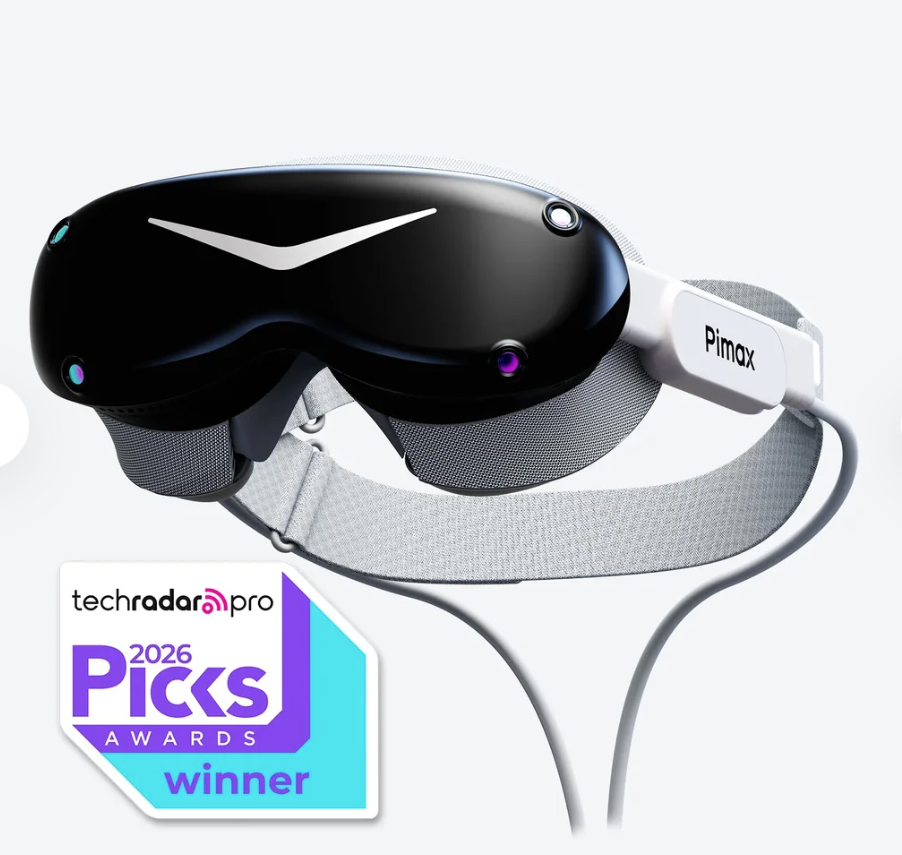
The virtual reality market has long faced a tough compromise: heavy headsets with bulky front-ends versus fragile lightweight devices lacking high-end fidelity. Enter the Pimax Dream Air, available on the official Pimax Store. Weighing less than 170 grams while packed with cutting-edge Sony Micro-OLED screens, this headset aims to redefine comfort and visual immersion for enthusiasts.
In this comprehensive review, we break down its specifications, visual quality, comfort, tracking options, and whether it’s worth the investment for your PCVR setup.
🔥 Special Offer: Take advantage of our exclusive discount! Use coupon code PHELI at checkout to enjoy 2% OFF your order.
Key Specifications at a Glance
-
Display: Sony Micro-OLED screens
-
Resolution: 3840 x 3552 pixels per eye (7680 x 3552 total)
-
Field of View (HFOV): 110° with Pimax’s ConcaveView optics
-
Headset Weight: Under 170 grams
-
Tracking Types: SLAM (inside-out) or Lighthouse (outside-in) options
-
Audio: Integrated spatial audio with dual cooling fans
Visual Fidelity: Sony Micro-OLED Brilliance
One of the standout selling points of the Pimax Dream Air is its visual configuration. Powered by Sony Micro-OLED displays delivering 3840 x 3552 pixels per eye, it provides an astonishingly sharp image virtually free of the screen-door effect.
Combined with a 110-degree field of view (HFOV) and specialized ConcaveView optics, colors pop with deep blacks, high contrast, and vivid clarity. Whether you are exploring massive open-world flight simulators or high-paced racing games, text legibility and intricate world details are crystal clear.
Weight and Ergonomics: Featherlight Comfort
Traditional high-end PCVR headsets are notoriously front-heavy, causing neck strain during long sessions. Pimax addressed this directly by keeping the bare headset weight under 170 grams.
The revised ergonomic mask (included with orders) balances the weight distribution smoothly across your face. Combined with a dual-fan cooling system that prevents internal fogging and heat buildup, the Dream Air allows for hours of comfortable, immersive gameplay without physical fatigue.
Tracking Configurations: SLAM vs. Lighthouse
Pimax offers flexibility by tailoring the Dream Air to different user preferences:
-
SLAM Version (Inside-Out): Ideal for users wanting a streamlined setup. It features four built-in headset cameras, integrated hand tracking, and bundled 6DoF controllers without needing external sensors.
-
Lighthouse Version (Outside-In): Perfect for hardcore simulation enthusiasts who already own SteamVR base stations (1.0 or 2.0) and compatible controllers like Valve Index controllers.
Performance and PC Requirements
To push a staggering 3840 x 3552 resolution per eye, your PC needs serious horsepower.
-
Minimum/Recommended GPU: Ranging from RTX 3070/4070 series for balanced settings up to top-tier heavyweights like the RTX 4090 or RTX 5090 for maximum graphical settings.
-
Connectivity: A split DisplayPort Cable setup ensures uncompressed, ultra-low latency transmission directly from your graphics card.
Pros and Cons
Pros:
-
Featherlight headset weight (<170g) for exceptional wearability.
-
Stunning Sony Micro-OLED visual fidelity and pixel density.
-
Flexible tracking ecosystem (Choose between SLAM or Lighthouse).
-
Built-in active cooling fans for thermal management.
Cons:
-
High-end PC hardware is mandatory to drive the native resolution.
-
Base stations and certain controller variants must be purchased separately depending on the package.
Final Verdict: Is Pimax Dream Air Worth Buying?
The Pimax Dream Air bridges the gap between ultra-light form factors and enthusiast-grade visual fidelity. If you are a flight simmer, racing fanatic, or hardcore PCVR user looking to upgrade from older heavy hardware without sacrificing clarity, the Dream Air is a stellar choice.
Ready to elevate your virtual reality experience? Check out the official product page on the Pimax Store to choose your preferred tracking configuration today.
Rating: 4.8 / 5
Popular Blog
.png)